Casino
  Live Casino
  Deposit
  Profile
Hollywin Login and Account Registration
Canadians can participate in real money casino gaming on our platform only after making a Hollywin login. This is a mandatory procedure to follow. It requires that you provide certain information to complete our online register and verify your documents. Afterwards, you’ll be able to sign in to Hollywin Casino and start playing either for free or for real. Furthermore, we’ve numerous bonuses for our registered members.
Benefits of Having a Personal Account with Hollywin Casino
Choosing our site to play comes with different benefits. In addition to being able to participate in 11,000+ games, many of them can be played for free. Furthermore, Canadians who complete the Hollywin register will also be able to play on both desktop and mobile.
You’ll also be able to use our different payment methods that include both FIAT and crypto after making your Hollywin log in. Also, if you require assistance, you can contact us at any time of the day using different methods after signing in. A few other benefits are:
- 24/7 customer support
- Welcome and reload bonuses
- VIP program for exclusive rewards
- Referral promo
- Top security features
How to Register Your Account at Hollywin
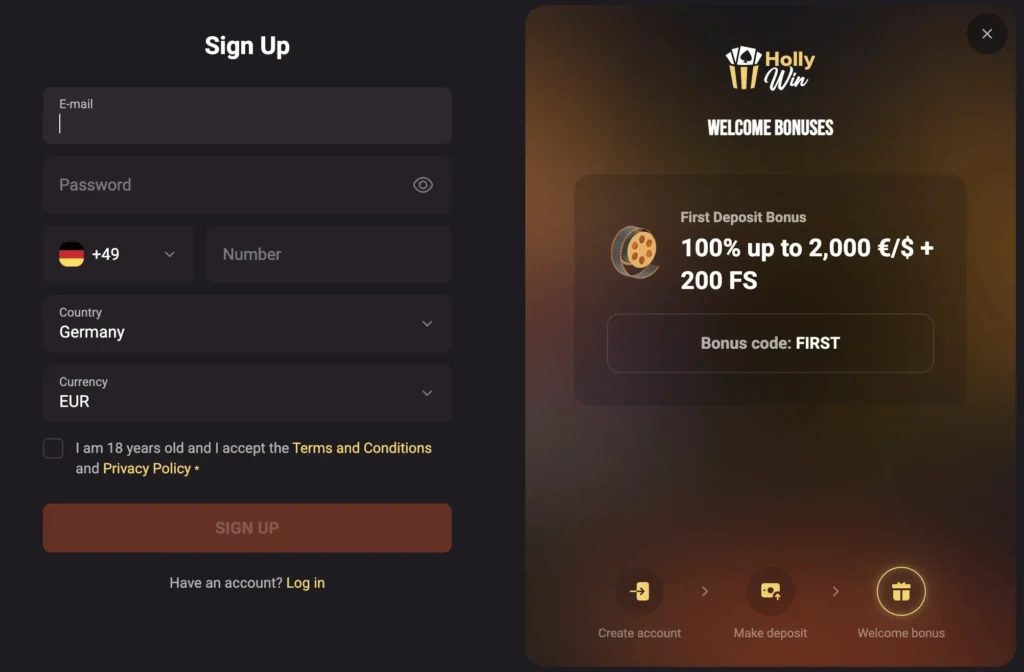
To participate in real money, you have to be registered. There are two different ways to conduct your Hollywin registration. It’ll take about two minutes, and you can find the steps to follow below:
- Open the Online Register – From the homepage, click on the “Sign Up” button to launch the online register.
- Choose Registration Option – Select between the conventional email method or registration via social.
- Conventional Registration – Open the form and enter details such as your email, phone number, select Canada CAD as your currency and create a password.
- Social Registration – Choose to sign up using your existing Google ID.
- Agree to Terms – Go through our terms and conditions, privacy policy and acknowledge that you’re at least 18 years old by ticking the box.
- Complete Registration – Tab the “Sign Up” below to complete filling the Hollywin register.
Instantly, you will be logged into your account. You can face a few difficulties related to geo restrictions. If our service is available in your region due to regional restrictions, you might not be able to complete the sign up process and make a login.
Required Documents for Local Players
Players from Canada are required to undergo our KYC process to verify their accounts. We need you to perform certain activities and upload some documents to complete your Hollywin verification.
- For identification – International passport, driving licence or a government issued photo ID.
- For address – Any utility bill such as a phone or electricity bill.
- For payment – Screenshot or photo from online bank, statement of account, skrill page
Getting Verified at Hollywin Casino
After completing your registration, you need to verify your account to remove all restrictions. If you don’t submit the required documents to complete the KYC process, these limitations will remain. The Hollywin verification time is within a couple of hours to a few days.
- Begin Process – Start the process by heading to your account page and selecting “Hollywin Verification.”
- Verify Identity – Upload valid identity documents such as your valid government issued ID, driving licence or passport.
- Verify Address – Add copies of either your utility bill or bank statement with your address clearly displayed.
- Verify Payment – Send proof of payment for your bank statement, online banking platform or E-Wallet showing the amount paid.
Hollywin Casino Login Process
Canadians who are set to play can log into their accounts as registered members. For new players who use the steps provided earlier to complete their registration, a Hollywin login will be conducted automatically afterwards. For returning players, you need to enter your details again to access your account.
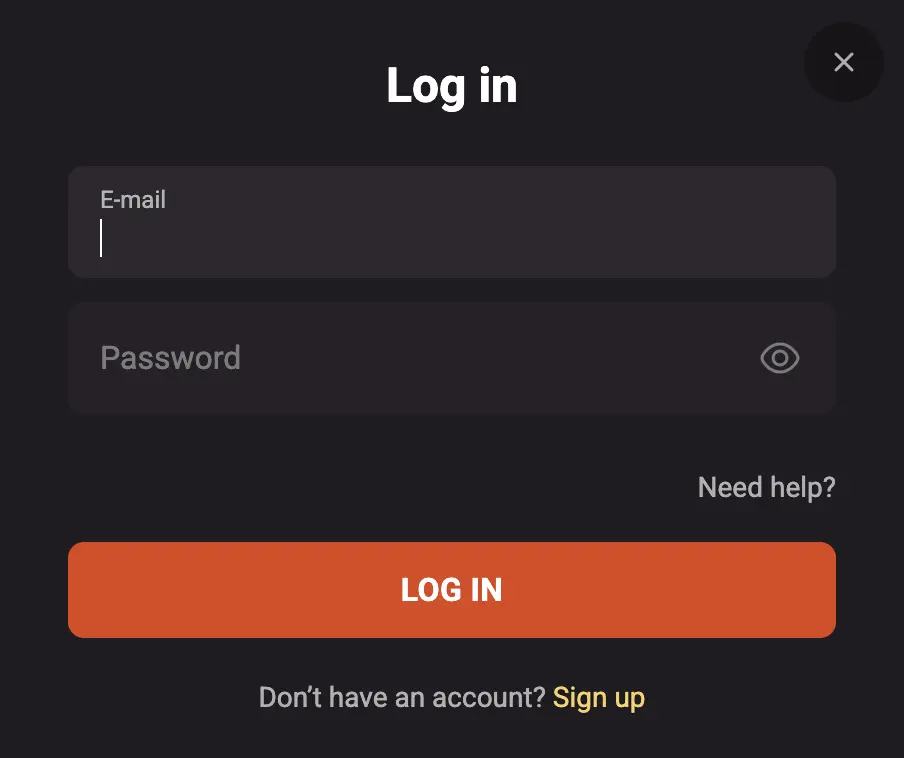
Similar to when you’re carrying out the registration process, the steps you need to follow for a successful sign in are also straightforward. If you follow them carefully, you’ll be able to successfully sign in. They are:
- Choose your Login Option – Select between the email or social login procedure.
- Email Method – Into the appropriate columns, enter your email and password.
- Social Option – Sing in using your Google ID that you’ve previously used to register.
- Access Account – Tap the “Log In” tap to gain access to your account.
On frequent occasions, you’ll be required to undergo the sign in process. This is because we sign you out of your account whenever we discover a prolonged period of inactivity without logging out. It helps safeguard your details. The different methods available for login can be found below.
| Login Method | Time Required | Security Level | Available Devices |
|---|---|---|---|
| Email/Password | 15-20 seconds | Basic | All devices |
| Social | 10-20 seconds | Basic | All devices |
| Biometrics | 5-7 seconds | Strong | Mobile |
| 2FA | 20-30 seconds | Highest | All devices |
Hollywin Login via Mobile App
Canadians who prefer convenience over any other thing can use their smartphones and tablets to play through our mobile site on Android and iOS. The steps to make your mobile sign in are:
- From the top section, select the “Login” tab.
- Enter your email and password or Google ID.
- Tap on the “Log In” tab to finish the instruction.
Personal Data Protection and Security
From the point where you share your details during registration, we’ve begun the process of keeping you safe. Therefore, all these details plus those you share during your Hollywin verification are protected using standard encryption techniques. As you fill the register, and during verification, all our security features are activated to offer top-notch protection. Some of our data protection features are:
- Two-factor authentication
- Firewalls
- Secure payment gateways
- Fraud and intrusion detection alarms
Possible Hollywin Sign In Issues
Canadians can face numerous issues in the process of logging in. They could range from as little as an incorrect or forgotten password, to complex ones like blocked accounts. If the problem persists, do reach out to our customer representative for assistance. Some of the common login issues and quick solutions are:
- Incorrect Password – Because they’re case sensitive, a wrongly inserted character can block your Hollywin log in. Make sure your caps lock is on and off appropriately.
- VPN and Proxy – A VPN can interfere with our security features and disrupt your login. Put off any active proxy and VPN.
- Cache and Cookies – Old cache can hinder a successful login. Clear old data to remove expired login information.
Recovering Forgotten Password or Email
To recover a forgotten email or password is very easy. You can contact customer care or use our “Need Help” option on the Hollywin login page. From there, select “Forgot your password?” to enter your account email and receive a password reset link. Click on the link to go to the password reset page and create a new password. You can then use it for your login.
How to Delete Your Account at Hollywin
You can choose to delete your account at any time or self-exclude yourself for a period of time. The process is simple and here they are:
- Sign In – Use your details to log into your Hollywin account.
- Complete Outstanding Withdrawals – Ensure that you’ve withdrawn all the money in your account.
- Contact Customer Support – Either through email or live chat, speak to our customer support and make your deletion or self-exclusion intention known.
- Complete Survey – Answer a few questions regarding your decision to delete your account.
- Await Closure – Within a few business days, we’ll finalize the deletion process, and your details can no longer be used to complete a new Hollywin register.